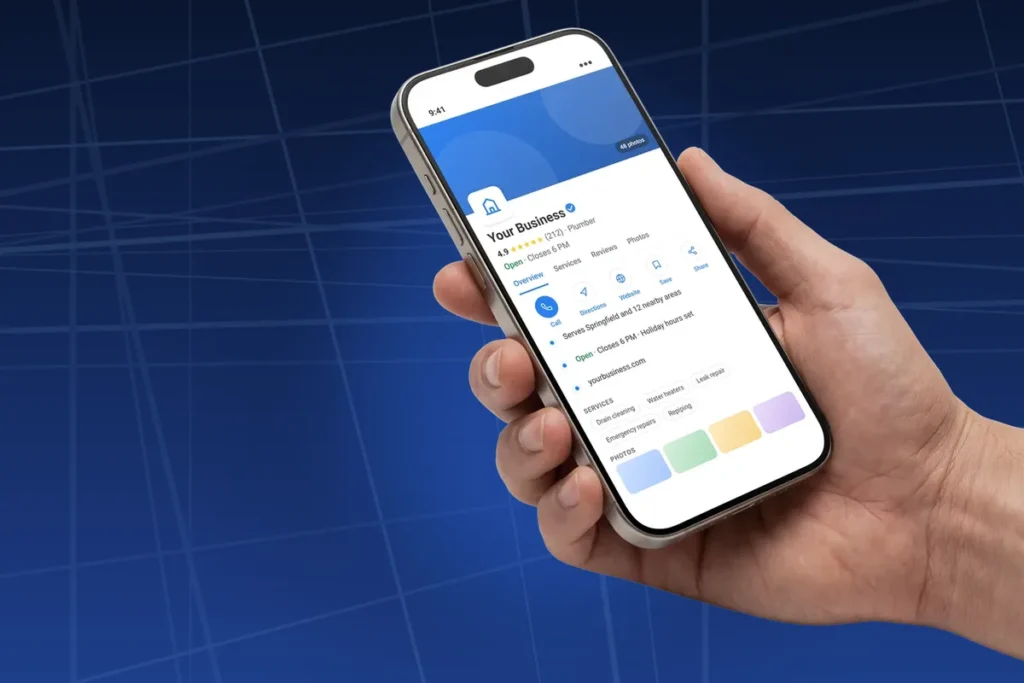
Google Business Profile optimization means filling in your profile so Google understands exactly what your business is, where it works and why people trust it. In practice that comes down to choosing the right categories, keeping your core details accurate, writing a useful description, adding real photos and services, and looking after reviews. Google says a complete, accurate profile helps your local ranking, and it is also what persuades the person reading it to call you.
This is the full checklist, section by section, in the order I work through a profile for a local business. Most of it takes an afternoon. The rest is a few minutes a month, which is exactly the part most businesses stop doing.
Google Business Profile Optimization at a Glance
- Verify the profile first, and make sure you own it, not a former agency or web designer
- Your primary category matters most: pick the most specific one that completes "this business is a"
- Use your real business name, with no keywords or locations added
- Write a description of up to 750 characters about what you do, with no links, prices or promotions
- Add services, attributes and real photos, then keep them current
- The public Q&A section is gone, so the answers people get now come from your profile, reviews and website
Nothing on this list is a trick. Each item gives Google one more reason to show you for a relevant search, and gives a customer one more reason to pick you.
On this page
Claim and Verify Your Profile
Everything else on this list depends on this step. Google's own tips for improving local ranking start with verification, because it tells Google you are authorized to represent the business.
Check Who Owns It
Before you change anything, open the profile manager and look at who has access. It is common to find that a previous agency, a web designer or an ex-employee is the primary owner. If they leave or disappear, you can lose control of your own listing. You should be the primary owner, and anyone helping you should be added as a manager, which you can remove at any time.
Avoid Duplicate Profiles
If you search for your business on Google Maps and find two listings, do not create a third. Duplicates split your reviews and confuse Google about which listing is real. Claim the one with the most reviews and ask Google to merge or remove the other.
Be Careful With Big Changes Later
Google says that if you change your business name or move to a new address after verification, you may need to verify again. That does not mean you should never update them, only that you should do it deliberately and expect a short wait while the change is reviewed.
Choose Your Google Business Profile Categories
Categories tell Google what kind of business you are, and Google states plainly that the categories you select affect your local ranking. Of everything on the profile, this is the single setting most worth getting right.
Your Primary Category
Google's guidelines for representing your business say to use as few categories as possible and to choose ones that complete the sentence "this business is a," rather than describing what it has. Pick the most specific option on the list that fits. A dental practice is better described as "Dentist" than as "Medical clinic," and a practice that mainly does veneers and whitening might choose "Cosmetic dentist" instead. The difference looks small, but it changes which searches you are considered for, and it is one of the first things I check in dental SEO services.
Additional Categories
Additional categories are for other things your business genuinely is, not for every service you sell. Google's help page on categories gives the example of a grocery store with a bakery and a deli: "Grocery store" as the primary category, with "Bakery" and "Deli" as additional ones. A plumber who also installs water heaters does not need a separate category for each job. Those belong in the services section instead.
How to Find the Right Category
Search for your main service in your area and open the top three businesses on the map. Their primary category is shown under the business name. If all three use a category you have not considered, it is worth a look, as long as it honestly describes you. Then type a few related words into the category box on your own profile, because Google's list is long and the most accurate option is not always the first one suggested.
Name, Address, Hours and Contact Details
These are the facts Google and customers rely on most, and they need to be exactly right and consistent with your website and the main directories you are listed on.
Business Name
Google says your name should reflect your real-world business name, as used on your storefront, website and stationery. Adding keywords or a city, such as "Smith Plumbing Best Plumber Austin," breaks the rules and can get the profile suspended. If your registered name already includes your trade, that is fine. If it does not, the categories, services and description are where that information belongs.
Address or Service Area
If customers come to you, show your address. If you go to them, Google's guidelines say to hide your address and set a service area, which should not extend farther than about two hours of driving from where you are based. Virtual offices and P.O. boxes are not allowed. A service area covering half the state will not make you rank everywhere in it, so list the towns and areas you genuinely work in.
Hours
Enter your regular customer-facing hours, and set special hours for holidays before they arrive. A customer who drives over and finds you closed when Google said you were open is likely to leave a bad review, and accurate hours are one of the details Google lists as part of a complete profile.
Phone Number and Website
Google recommends a local phone number rather than a central call center number where possible. For the website link, point it at the most relevant page rather than always using the homepage. A business with several locations should link each profile to that location's page. If you want to see how many visits come from the profile, add tracking parameters to the link so your analytics can tell those visits apart.
Write a Description That Helps
The description is your chance to explain, in your own words, what you do and who you do it for. Google's guidelines say it should not exceed 750 characters, should focus on your business rather than promotions, prices or sales, and must not include links or HTML.
A simple structure works well:
- One sentence on what you do and where
- Your main services, written the way customers describe them
- What makes you different: experience, guarantees, specializations, how quickly you respond
- Who you work with, if that helps the right customers recognize themselves
Write it for a person deciding whether to call, not for a search engine. A description stuffed with the same phrase five times reads badly and gains you nothing.
Services, Products and Attributes
These sections are where you give Google detail without bending the rules on your name or categories.
Services
List every service you actually offer, each with a short description in plain language. This is where "water heater installation," "drain cleaning" and "emergency repairs" belong for a plumber, rather than in the business name. Each one gives Google another specific signal about the searches you are relevant for.
Products
If you sell products, add them with a photo, a short description and, if you like, a price. Google mentions adding products as one of its tips for helping customers find you. Service businesses can also use this section to showcase packages or popular jobs.
Attributes
Attributes are the extra details Google offers for your category, such as wheelchair access, online appointments, payment methods or whether you are women-owned or veteran-owned. They appear on your listing and help customers filter. Tick every one that is true and leave the rest alone.
Photos and Videos
Photos show customers what they will get before they call, and Google lists adding them among its tips for helping your profile. Its photo guidelines ask for JPG or PNG files between 10 KB and 5 MB, recommend 720 by 720 pixels, and say images should be in focus, well lit and free of heavy filters, in short that they should represent reality.
Start with a clear logo and a cover photo, then add real photos of your work, your premises, your team and your vehicles. For a salon, that means finished cuts and color, the chairs and the people who work there, which is a big part of hair salon SEO. Stock images do not help, and customers can usually tell. Add new photos regularly rather than fifty in one go and then nothing for a year.
Reviews, Updates and Questions
Reviews
Reviews influence both your ranking and the decision to call. Ask every happy customer, make the link easy to tap, and reply to every review, good or bad. I cover the full approach, including what Google does not allow, in how to rank higher on Google Maps. The short version: never buy reviews or offer incentives for them. Bought reviews are among the oldest SEO scams aimed at small businesses, and Google removes them.
Updates
Your profile lets you post updates, offers and events, which appear on the listing. They are a simple way to show the business is active. A short update when you finish an interesting job, add a service or change seasonal hours is enough. Nobody needs a daily post.
Questions Are Now Answered by AI
Profiles used to have a public questions and answers section that anyone could post in, and that you could answer yourself. Google has retired it, and answers to customer questions on Maps are increasingly written by Google's AI from your profile, your reviews and your website. You no longer get to write those answers directly, which makes a complete profile and a clear website more important than ever. If a common question is not answered anywhere you control, the AI has nothing accurate to say.
The Monthly Upkeep Checklist
Optimization is not a one-off job. Profiles drift out of date, and anyone can suggest edits to your listing, so it pays to check it regularly.
| How often | What to check |
|---|---|
| Every week | Reply to new reviews; ask recent customers for reviews |
| Every month | Add new photos; post an update; check that hours, phone and website are still right; look for edits suggested by Google or the public |
| Before holidays | Set special hours |
| Every quarter | Review your categories and services against what you actually sell; compare your profile with the top three on the map |
| Whenever you change | Update services, service area and description as soon as the business changes |
A realistic routine for a small local business. Most months it takes under an hour.
Frequently Asked Questions
How Long Does Google Business Profile Optimization Take to Work?
Fixing a wrong category or an incomplete profile can show some movement within a few weeks. Reviews, photos and local reputation build over months. If you want a realistic picture of timelines across all of SEO, how long SEO takes to work covers it in detail.
How Many Categories Should I Choose?
As few as accurately describe the business. Google's guidance is to use as few categories as possible and to pick ones your business is, not things it has. One precise primary category and a small number of genuine additional ones beat a long list.
Can I Put Keywords in My Business Name?
No. Your name should match your real-world business name. Adding keywords or locations breaks Google's guidelines and can get the profile suspended, even if a competitor seems to get away with it for a while.
Do I Need a Website if I Have a Business Profile?
You can rank on Maps without one, but a website makes the profile stronger. It gives Google more information, gives customers somewhere to check you out, and is one of the sources Google's AI now uses to answer questions about you.
Is Google Business Profile Optimization Something I Can Do Myself?
Yes, most of it. Everything on this checklist is within reach of an owner with an afternoon to spare. Where outside help earns its keep is in competitive markets, spam-heavy trades and the website side, and whether you can do SEO yourself covers where that line usually sits. If you are still weighing the cost against the return, is SEO worth it for a small business walks through the math.
What Happened to the Q&A Section on My Profile?
Google has removed the public questions and answers feature from Business Profiles. Questions on Maps are now increasingly answered by Google's AI using your profile details, reviews and website, so keeping those accurate and complete is the way to influence what people are told.
Your Checklist for This Week
If you only have an hour, do three things: confirm you are the primary owner of the profile, check that your primary category is the most specific one that fits, and fill in every empty field, including services and attributes. Those fix the problems that hold most profiles back, and they cost nothing.
When the profile is solid and you are still not showing up where you should, the problem is usually beyond the profile: the website, local links, or spam listings around you. That is the point where it makes sense to hire a freelance SEO or to bring the whole thing under one plan with local business SEO. On two trade sites I built and ranked, profile work like this, together with service pages and reviews, produced 744 calls from Google Search and Maps in six months with no ads. Send me your profile link and I will tell you what I would fix first.
Profile rules, category guidance, description limits and photo specifications in this checklist come from Google's Business Profile Help Center, linked above. The removal of the public Q&A section was announced by Google in 2025 and is being replaced by AI-generated answers in Maps. The call figure covers two trade sites combined, from organic search and Google Maps, January to June 2026, with no ad spend.